Fullstack Python App Deployment using Terraform to Azure
Learning Blog as part of my Data Engineering Program: Big Data and Cloud Practical Development Course
In this course lab, the task was to build a fullstack application eClipseBord using Python with solar and lunar eclipse data from Kaggle. My goal was not to build a dashboard (I have other projects for that. Check my other blogs 😛), but I wanted to understand how different parts of Python application works together with Docker, and how to deploy the app to Microsoft Azure and really understanding using Terraform (Infrastructure as Code) to deploy it.
The best things don't come easy - Terraform
Come on! Terraform is not easy to learn. Pair it with Azure, then I got myself sometimes thinking "WHY NOT JUST USE THE INTERFACE! This takes a lot of time and practice to be really good at these tech stacks.
BUT I learned SO MUCH! This is just the "tippiest" tip of the Terraform and Azure Iceberg though. 🗻
The most valuable part of this project was understanding the connection between application development and cloud infrastructure.
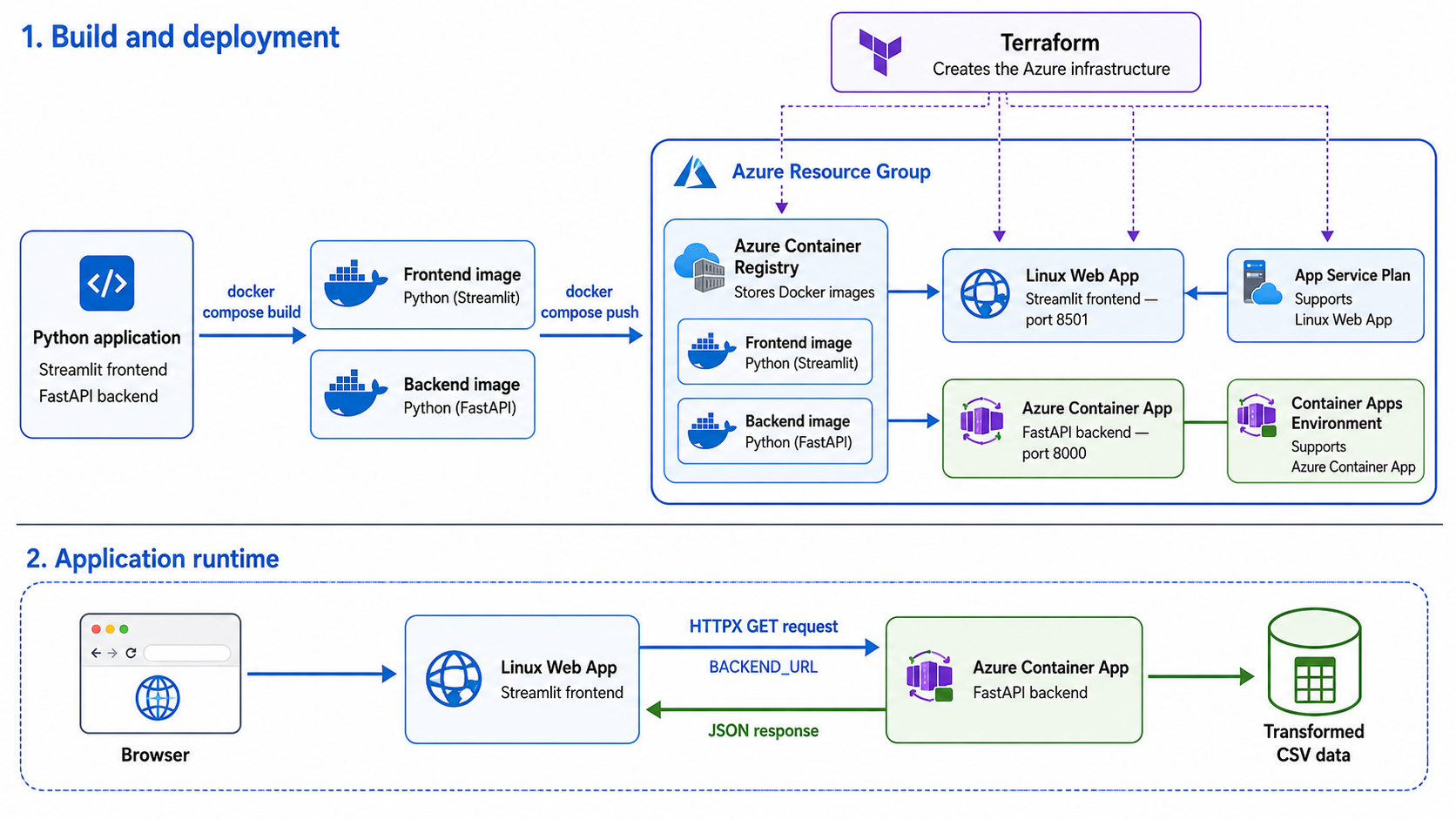
Python handled the data and application logic. FastAPI exposed the data through an API. Streamlit created the user interface. Docker packaged the services, while Terraform created and connected the Azure resources needed to run them.
Project Links
https://github.com/Akina-Aoki/azure_python_fullstack_lab
Brief Demo of the project
https://www.youtube.com/watch?v=H0DdgOV8x0w
A 6 part video guide I created to help understand Terraform (while deploying it)
https://www.youtube.com/watch?v=eucMow2W4PE&list=PLZ5J56GdOeOk&index=7
About the application (Nerdy time 👩🏼💻)
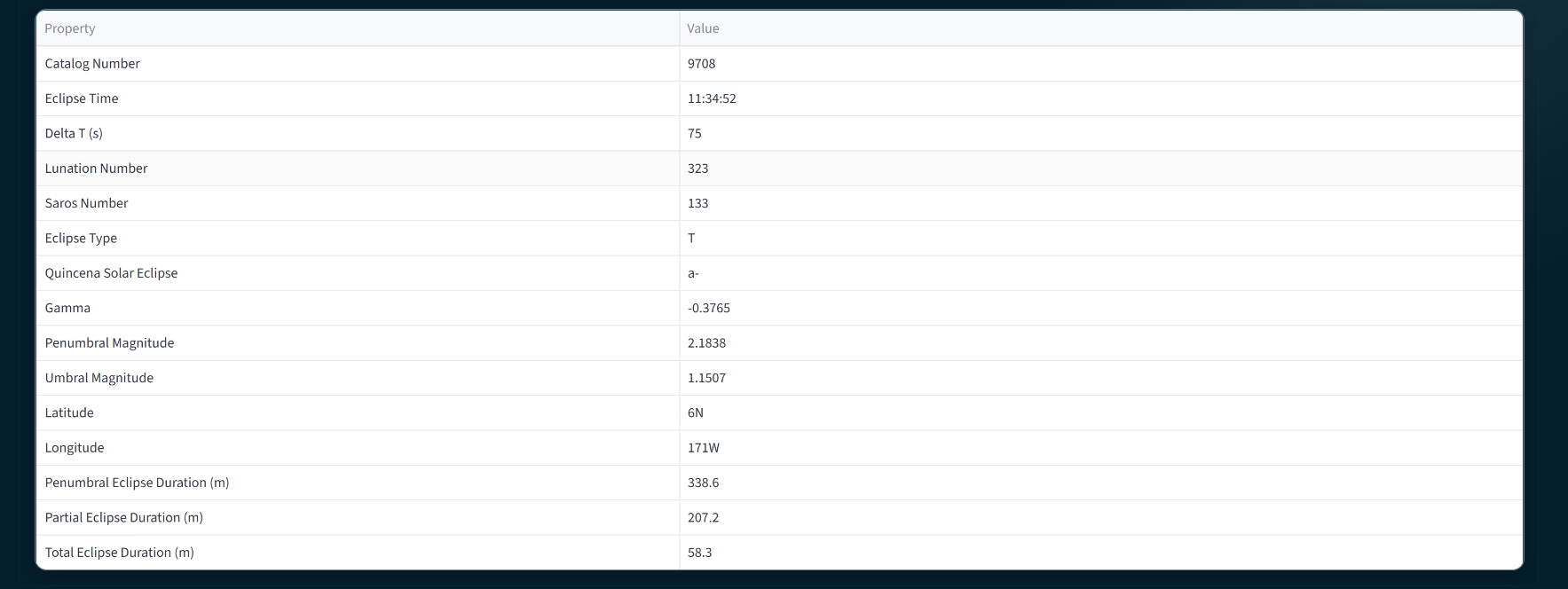
The project uses two eclipse datasets, lunar and solar eclipses, containing information such as the date, eclipse type, magnitude, Saros number, etc.
I cleaned and transformed the data with Pandas (I mean, who doesn't love Pandas? 🐼). For example, I extracted the year from the calendar_date and converted short eclipse codes into understandable categories such as Total, Partial, Annular and Hybrid.
I then separated the application into two parts:
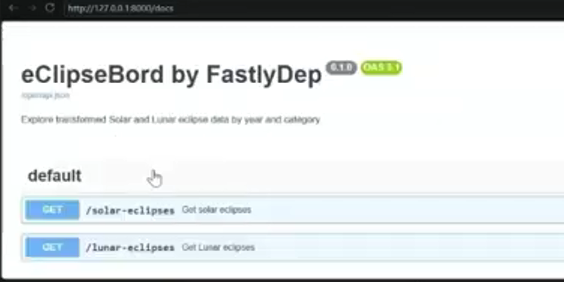
- FastAPI backend: Reads the transformed data and provides API endpoints for solar and lunar eclipses. The data can be filtered by year and eclipse category.
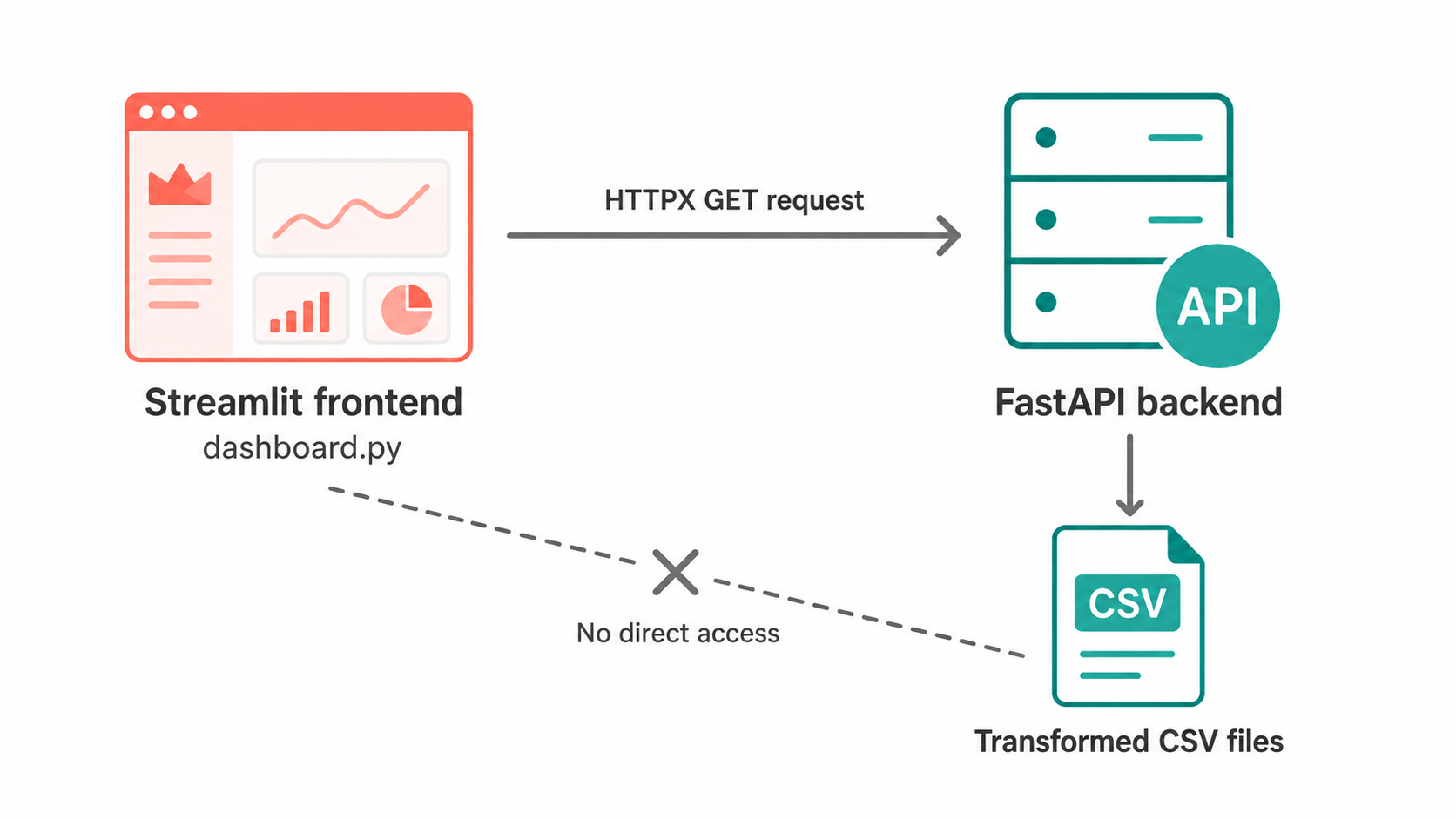
- Streamlit frontend: Calls the backend API and displays the results in an interactive dashboard.
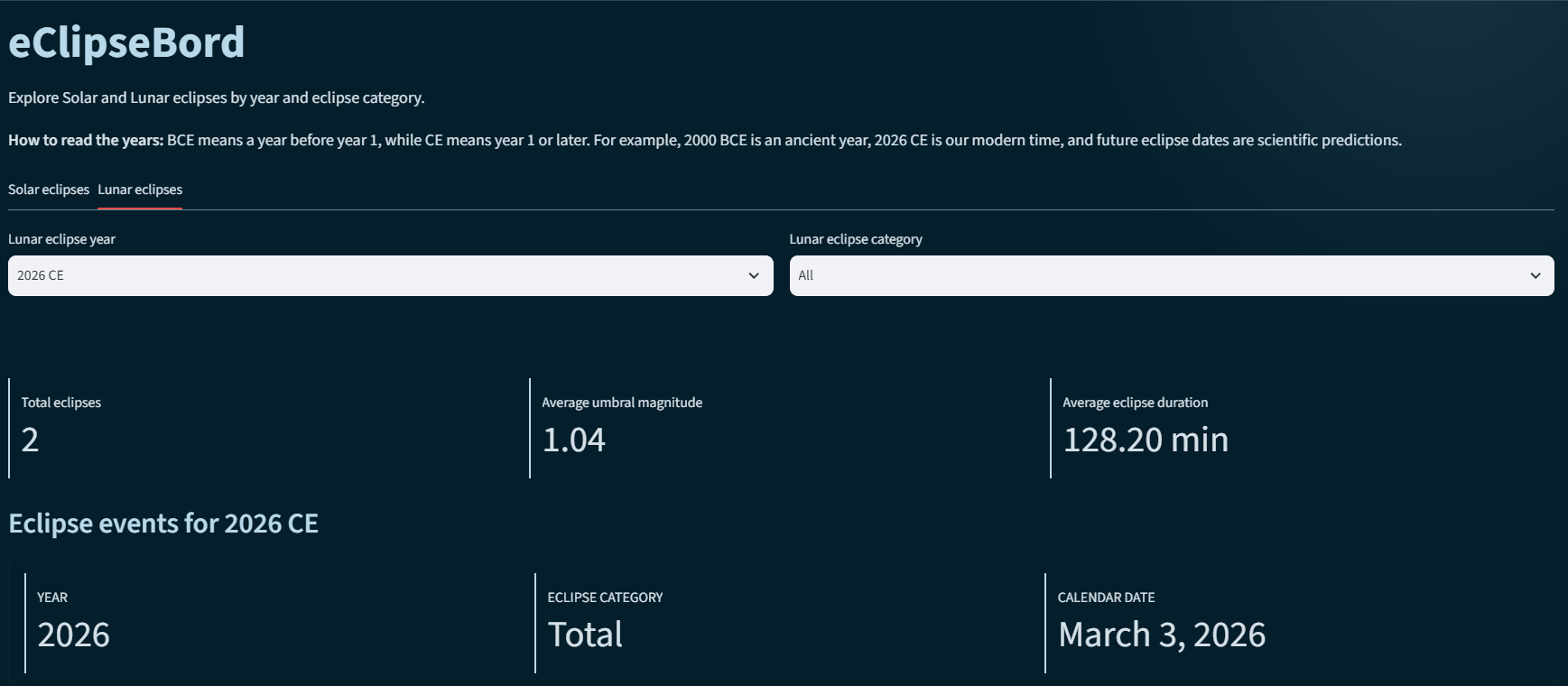
The frontend does not read the data files directly. It sends a request to the FastAPI backend, and the backend returns the requested data.
The fullstack flow looks like this:
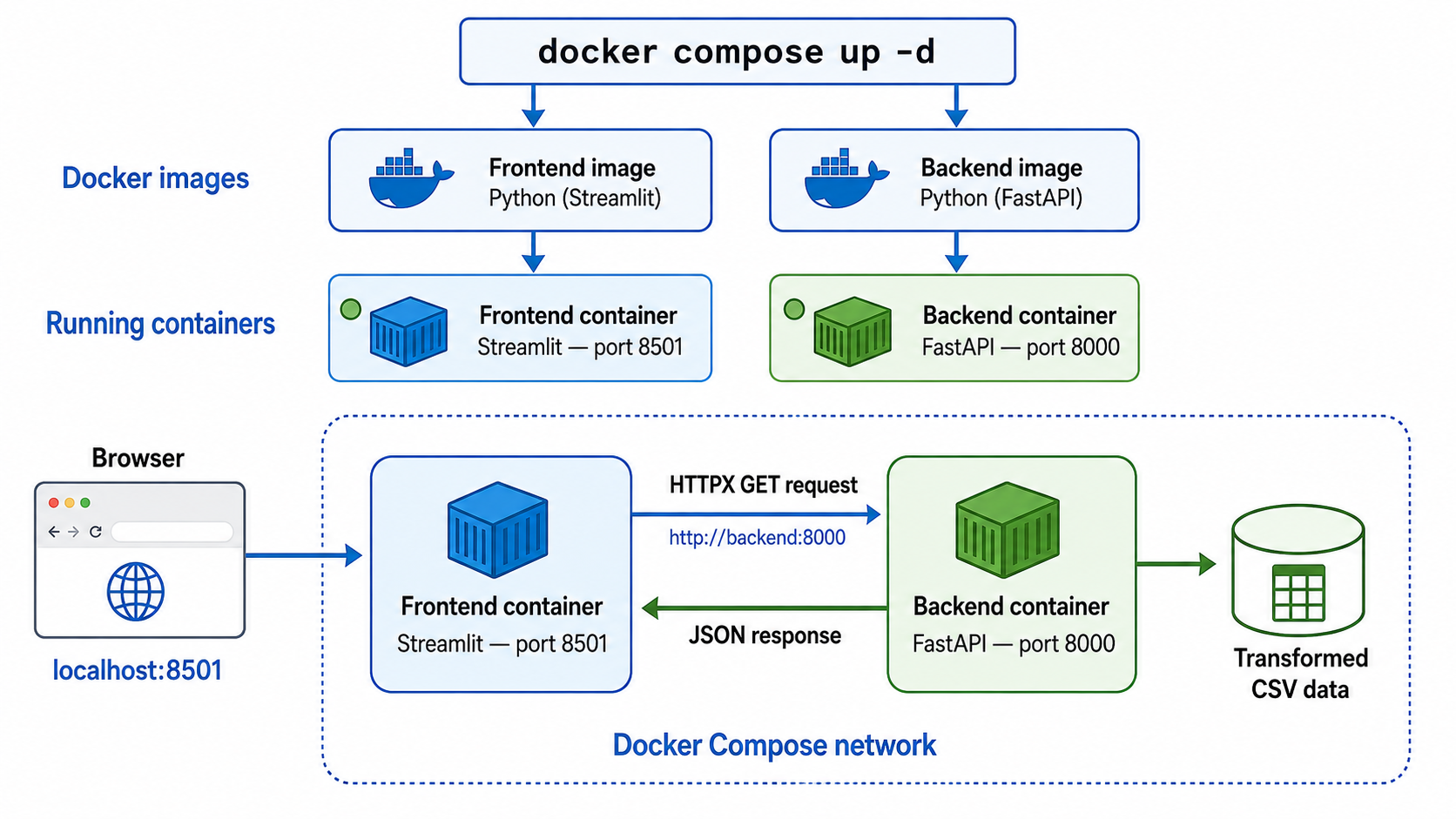
Packaging and running the application with Docker 🐳
The frontend and backend have different responsibilities, so I packaged them as two separate Docker images.
The frontend image contains the Streamlit dashboard and runs on port 8501. The backend image contains the FastAPI service and transformed CSV data and runs on port 8000.
Docker Compose builds both images and starts them as containers with one command:
docker compose up -d --build
Docker Compose also creates a private network where the containers can communicate. When a user opens localhost:8501, the browser connects to Streamlit. Streamlit then sends an HTTP request to the backend using http://backend:8000.
Here, backend is the service name defined in docker-compose.yaml. Docker automatically translates that name into the address of the backend container. FastAPI reads the transformed CSV data and returns the requested eclipse records to Streamlit as JSON.
Now the application is tested locally before deploying it to Azure. NICE!
Creating the Azure Infrastructure with Terraform 😱
Instead of creating every cloud resource manually in the Azure portal, I defined the infrastructure in Terraform files.
Terraform created the following Azure resources:
A Resource Group to keep the project resources together.
An Azure Container Registry to store the
Docker images.An Azure Container Apps Environment for running container-based services.
An Azure Container App for the
FastAPIbackend.An Azure App Service Plan and Linux Web App for the
Streamlitfrontend.
For the Azure deployment, I pushed the frontend and backend Docker images to Azure Container Registry, which works as private storage for container images.
The backend image runs in Azure Container Apps, while the frontend image runs as a Linux Web App. The Linux Web App uses an App Service Plan, and the backend runs inside a Container Apps Environment.
The local Docker address http://backend:8000 only works inside the Docker Compose network. In Azure, the frontend instead receives the public backend address through the BACKEND_URL environment variable.
The cloud data flow is therefore:
Browser → Streamlit Web App → FastAPI Container App → Transformed CSV data
FastAPI returns the filtered data as JSON, and Streamlit presents it in the dashboard.